OpenClaw Webhooks Guide: Connect n8n, Zapier, and CI Alerts
A scheduled check is useful when OpenClaw needs to ask, “Did anything change?” A webhook is better when another system already knows the answer.
Your CI provider knows the moment a deployment fails. n8n knows when a workflow reaches an exception branch. A monitoring platform knows when an error budget is burning. With an OpenClaw webhook, those systems can trigger a focused agent turn immediately, then route the useful result to Telegram, Slack, or another configured channel.
The setup is small. The design decisions are not. You need to choose the correct webhook surface, isolate untrusted event content, control delivery, deduplicate retries, and distinguish “request accepted” from “agent finished.” This guide builds that path from the outside in.
Quick Answer: What Is an OpenClaw Webhook?
An OpenClaw webhook is an authenticated HTTP endpoint exposed by the Gateway. An external service sends a JSON event to that endpoint, and OpenClaw either wakes a session or starts an agent turn.
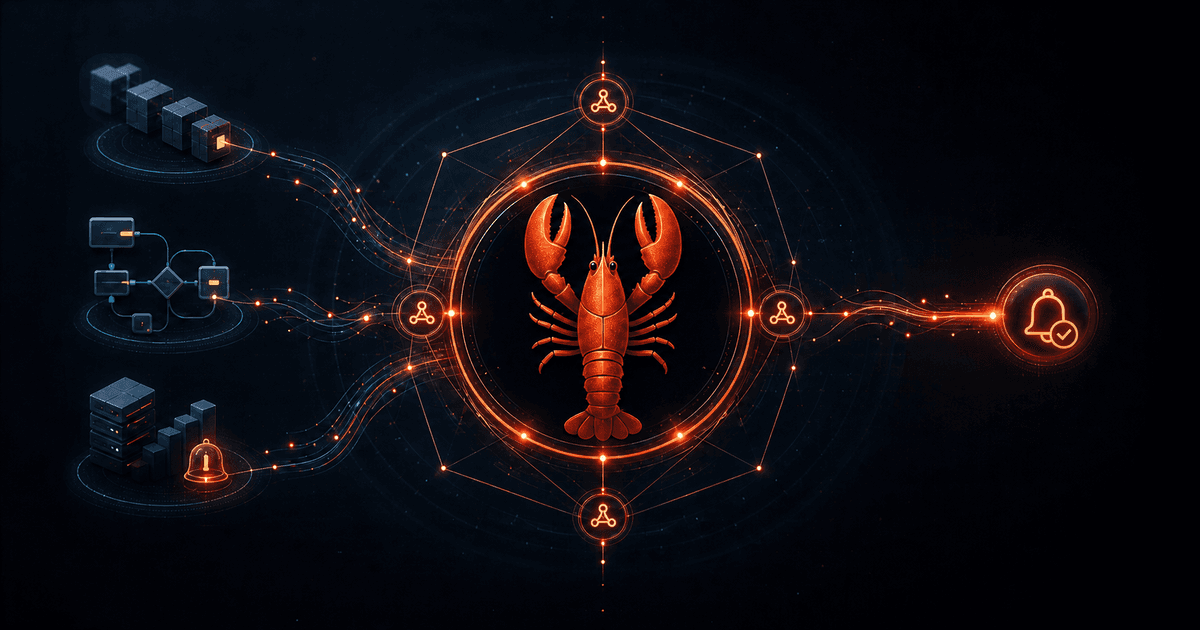
The basic flow is:
- A trusted service sends an HTTP
POST. - The Gateway validates the method, token, and payload.
- OpenClaw admits a wake event or isolated agent run.
- The agent interprets the event and performs the requested work.
- The result can be delivered to a concrete channel and recipient.
That makes webhooks the event-driven companion to the scheduled workflows in our OpenClaw cron jobs guide.
Choose the Right OpenClaw Surface
OpenClaw uses similar names for four different features. Pick the wrong one and you will spend an afternoon debugging a route that was never meant to exist.
| Surface | Trigger | Best use |
|---|---|---|
| Gateway webhook | External HTTP request | Wake a session or run an agent turn |
| Internal hook | OpenClaw lifecycle event | React to /new, messages, compaction, or Gateway startup |
| Webhooks plugin | External HTTP request | Create and manage durable TaskFlows |
openclaw webhooks CLI | Gmail Pub/Sub | Set up and run the bundled Gmail watcher |
For CI failures, n8n exceptions, Zapier events, and monitoring alerts, start with the Gateway webhook. Use the Webhooks plugin only when the caller must create, resume, finish, or cancel a managed TaskFlow. Internal hooks are for events that originate inside OpenClaw, not incoming HTTP traffic.
Step 1: Enable a Dedicated Gateway Path
Enable webhooks in the Gateway configuration:
{
  hooks: {
    enabled: true,
    token: "replace-with-a-long-random-secret",
    path: "/hooks",
    allowedAgentIds: ["main"]
  }
}
Generate a dedicated secret rather than reusing your Gateway or channel credentials:
openssl rand -hex 32
Treat that value like a password. Keep the config file readable only by the OpenClaw account, store copies in your secret manager, and rotate it after accidental exposure. OpenClaw rejects tokens in query strings; authenticate with a header instead.
Restart the Gateway after changing configuration, then keep the endpoint behind loopback, a private tailnet, or a trusted reverse proxy. Do not expose the Gateway directly to the public internet merely because the route has a token.
The allowedAgentIds list is an important blast-radius control. Bind incoming automation to the least-privileged agent that can do the job. A CI triage webhook usually needs logs, repository metadata, and a delivery channel—not your personal browser profile or unrelated workspaces.
For a wider hardening checklist, see OpenClaw security setup.
Step 2: Prove Authentication with /hooks/wake
Start with the smaller endpoint. /hooks/wake enqueues a system event for the main session without creating a full custom agent request.
curl -X POST http://127.0.0.1:18789/hooks/wake \
  -H "Authorization: Bearer $OPENCLAW_HOOK_TOKEN" \
  -H "Content-Type: application/json" \
  -d '{
    "text": "Deployment health check requested for checkout-api",
    "mode": "now"
  }'
Use mode: "now" when the event should be handled immediately. Use next-heartbeat when it can wait for the next heartbeat cycle and benefit from batching.
This first request verifies three things: the reverse-proxy route reaches the Gateway, the token is accepted, and JSON requests are parsed correctly. If this fails, fix the transport before adding agent prompts or channel delivery.
Step 3: Run an Isolated On-Call Agent
For useful triage, call /hooks/agent. The example below asks OpenClaw to summarize a deployment failure and send the result to Telegram:
curl -X POST https://gateway.example.com/hooks/agent \
  -H "Authorization: Bearer $OPENCLAW_HOOK_TOKEN" \
  -H "Content-Type: application/json" \
  -d '{
    "name": "Checkout deployment failure",
    "message": "Triage checkout-api deployment build-1842. Summarize the failure, identify the likely owner, and recommend the safest next action. Do not deploy or roll back automatically.",
    "agentId": "main",
    "sessionMode": "isolated",
    "idempotencyKey": "checkout-api:build-1842",
    "deliver": true,
    "channel": "telegram",
    "to": "-1001234567890",
    "timeoutSeconds": 180
  }'
Isolated sessions are the correct default for alerts. Each event gets a fresh context, so yesterday’s incident cannot quietly influence today’s diagnosis. Use a persistent session only when repeated events genuinely need shared history. Direct persistent requests require an explicit session key and additional allowlist configuration, which is deliberately harder to enable.
Delivery has an all-or-nothing rule: provide both channel and to, or neither. Supplying only one returns HTTP 400 and schedules nothing. This prevents an alert from drifting into whichever conversation happened to be active last.
If you have not connected Telegram or Slack yet, follow the OpenClaw multi-channel setup guide first.
Step 4: Send Small, Actionable Payloads
Do not dump an entire log archive into the message field. The event should carry enough information to locate evidence, not every byte of evidence.
A useful on-call payload contains:
- service and environment
- severity
- stable incident or build identifier
- a short human-readable summary
- a URL to logs or the failed run
- the action you want from the agent
- explicit actions the agent must not take
The final point matters. “Investigate and summarize; do not restart production” is safer than “fix this.” Webhook content comes from an external system and may include attacker-controlled text from issue titles, commit messages, request bodies, or logs. OpenClaw wraps external content with safety boundaries by default. Do not disable that behavior for convenience.
For page-change events, let your monitor reduce the page to a stable value before sending anything. The pattern in our browser monitoring guide prevents banners and timestamps from generating false incidents.
Connecting n8n, Zapier, and CI
n8n
Use an HTTP Request node after the branch that identifies an actionable event. Store the OpenClaw token in n8n credentials, set the Bearer header, and construct a small JSON body from known fields. Add an error branch that records non-2xx responses rather than retrying forever.
Zapier
Use a Webhooks action with a JSON POST. Keep the token in Zapier’s protected connection or secret storage, not in a field copied into task history. Map only the fields the agent needs. For high-volume sources, aggregate events before calling OpenClaw.
GitHub Actions
Store the hook token as a repository or environment secret and send the request only from the failure path:
- name: Ask OpenClaw to triage the failure
  if: failure()
  env:
    HOOK_TOKEN: ${{ secrets.OPENCLAW_HOOK_TOKEN }}
  run: |
    curl --fail-with-body -X POST "$OPENCLAW_HOOK_URL/agent" \
      -H "Authorization: Bearer $HOOK_TOKEN" \
      -H "Content-Type: application/json" \
      -d "{\"message\":\"Triage run $GITHUB_RUN_ID for $GITHUB_REPOSITORY. Read the linked CI logs and summarize the likely cause.\",\"name\":\"CI failure\",\"sessionMode\":\"isolated\",\"idempotencyKey\":\"$GITHUB_REPOSITORY:$GITHUB_RUN_ID\"}"
Prefer a script or JSON-aware tool when payloads contain arbitrary text; hand-built JSON quoting becomes unsafe quickly. GitHub also recommends using secrets, HTTPS, and replay-aware processing for webhook integrations.
Understand the HTTP Response
A successful /hooks/agent response means the run entered the agent runner. It does not mean the investigation finished or the Telegram message arrived.
Design the caller around these admission outcomes:
| Status | Meaning | Caller action |
|---|---|---|
200 | Run admitted | Record the run and wait for delivery/completion |
400 | Invalid request or delivery coordinates | Fix the payload; do not retry unchanged |
409 | Session conflict | Retry after resolving the session issue |
502 | Gateway or cron preparation failed | Retry with backoff and alert on persistence |
503 | Admission timed out | Retry carefully; timed-out queued work is cancelled |
Use an idempotencyKey tied to a stable event ID. External platforms retry webhooks, networks duplicate requests, and operators click “redeliver.” Idempotency prevents one failed build from creating five agent runs and five Telegram alerts.
When to Use Mapped Hooks or the Webhooks Plugin
A custom POST /hooks/<name> mapping is useful when callers have their own payload shape. The mapping can turn a vendor-specific event into a wake or agent action without forcing every sender to understand OpenClaw’s request format.
Move to the bundled Webhooks plugin when an external orchestrator needs durable control: creating a TaskFlow, checking status, resuming a waiting flow, running a child task, or requesting cancellation. Plugin routes bind to a specific session and use their own secret. They also apply documented rate, concurrency, body-size, and timeout limits.
That durable flow model pairs naturally with the patterns in the OpenClaw Task Flow guide. Do not add it merely to forward a single alert; the generic Gateway endpoint is simpler and easier to operate.
Security Checklist
Before calling the integration production-ready:
- use HTTPS outside loopback
- keep the endpoint behind a tailnet or trusted proxy
- use a unique, high-entropy hook token
- restrict
allowedAgentIds - leave caller-selected session keys disabled unless necessary
- keep external-content safety wrapping enabled
- use isolated sessions for independent alerts
- store channel IDs and tokens in secret storage
- set explicit timeouts and idempotency keys
- log request IDs and outcomes without logging secrets
- rotate the token after suspected exposure
- test malformed JSON, missing headers, duplicate events, and delivery failures
Troubleshooting
401 Unauthorized: Confirm the exact Bearer token, check proxy header forwarding, and make sure no whitespace was introduced by secret storage.
404 Not Found: Verify the configured hooks.path, the Gateway port, and the proxy path. The path cannot be /.
400 on delivery: Provide both channel and to, verify the channel is configured, and use a valid account ID when selecting among multiple channel accounts.
The request returns 200 but no message arrives: Admission succeeded, not necessarily execution or delivery. Check Gateway logs, the target channel configuration, and the run’s completion event.
Duplicate alerts: Add a stable idempotencyKey and make the upstream retry policy use exponential backoff.
The agent overreacts: Narrow the prompt, use a restricted agent, and explicitly prohibit destructive actions. Start with summarize-and-recommend before allowing remediation.
FAQ
Can OpenClaw receive arbitrary webhooks?
Yes. Generic Gateway endpoints accept authenticated JSON requests for wake events and agent runs. Custom mappings can adapt named routes and vendor-specific payloads.
Does openclaw webhooks create these routes?
No. The current CLI command is focused on Gmail Pub/Sub setup and its foreground watcher. Generic incoming endpoints are configured under hooks, while durable TaskFlow routes come from the Webhooks plugin.
Should webhook runs share a persistent session?
Usually not. Isolated runs avoid cross-incident context and are the safer default. Use persistence only for a workflow that genuinely needs continuity, then restrict allowed session-key prefixes.
Can a webhook trigger a Telegram message?
Yes. Set deliver: true and provide both channel: "telegram" and a concrete to recipient. OpenClaw binds the destination before scheduling the isolated run.
Are webhooks better than cron jobs?
They solve different problems. Use webhooks when an upstream system can push an event immediately. Use cron when OpenClaw must poll, aggregate, or run on a fixed cadence.
Sources
- OpenClaw scheduled tasks and Gateway webhooks
- OpenClaw internal hooks documentation
- OpenClaw Webhooks plugin
- OpenClaw webhooks CLI reference
- GitHub webhook security best practices
- n8n Webhook node documentation
Conclusion
OpenClaw webhooks work best as a narrow bridge, not an all-powerful remote control. Authenticate a dedicated route, send small events, isolate each run, bind delivery explicitly, and make the agent recommend before it acts.
Start with one failure path that currently requires a person to copy logs into chat. Give it a stable event ID, a three-sentence triage prompt, and a Telegram destination. Once that route is quiet, repeatable, and useful, expand from alerts into durable TaskFlows only where the added state earns its operational cost.


Comments
Loading comments…