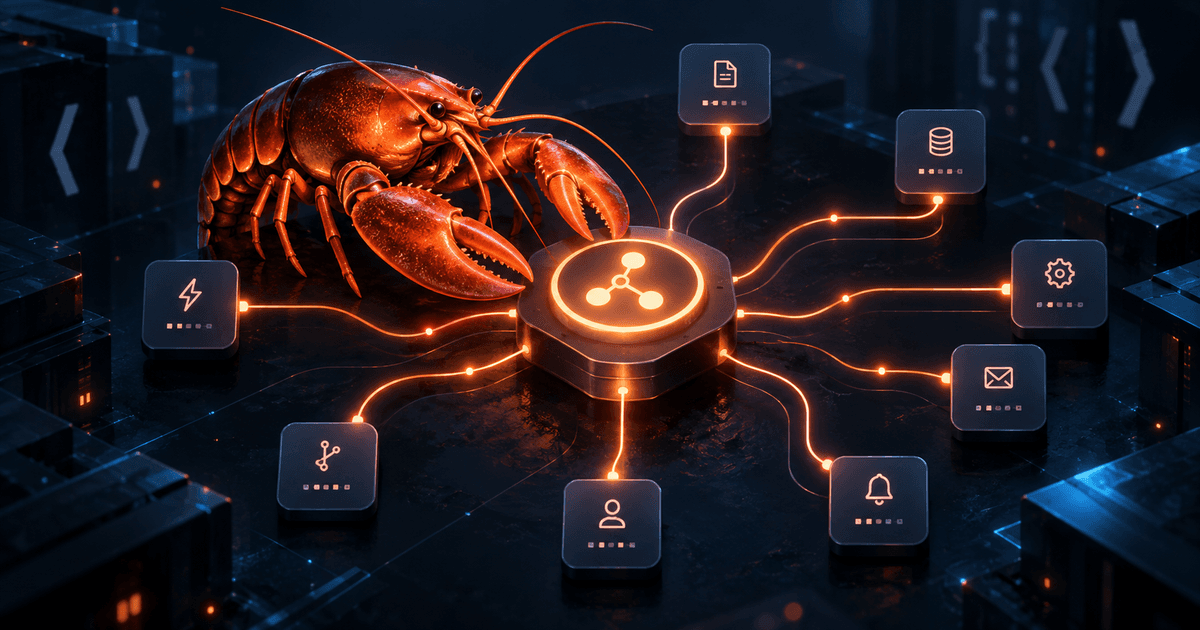
OpenClaw Hooks Guide: Build Event-Driven Automation Safely
OpenClaw hooks let a Gateway react to lifecycle events instead of waiting for a scheduled job or a human prompt. You can log session resets, save context during compaction, add bootstrap files, or observe message delivery. That makes hooks useful for small, immediate side effects—but it also makes them powerful trusted code running inside the Gateway process.
Quick answer: Use an internal hook for a short reaction to an OpenClaw lifecycle event, a plugin hook when you need to intercept tools, prompts, or replies, and a webhook when another service should trigger OpenClaw over HTTP. Start with
openclaw hooks list, inspect the exact hook withopenclaw hooks info, enable only the name you reviewed, and verify its real side effect.openclaw hooks checkreports eligibility; it does not prove that the handler loaded or ran.
This guide focuses on internal directory hooks. For timed, isolated work, use OpenClaw cron jobs. For broader, periodic monitoring, compare the OpenClaw task flow guide before adding an event handler.
Choose the right automation surface
OpenClaw has several automation mechanisms, and choosing the wrong one creates unnecessary risk or operational confusion:
- Scheduled tasks (cron): precise recurring schedules and one-shot reminders.
- Heartbeat: approximate, context-aware periodic checks batched into the main session.
- Task Flow: durable multi-step orchestration with its own revision and task lifecycle.
- Internal hooks: short handlers triggered by Gateway, session, agent, command, or message events.
- Plugin hooks: typed
api.on(...)handlers that can modify prompts, gate tools, control replies, or observe agent lifecycle contracts. - Webhooks: authenticated HTTP ingress for an outside service that needs to start work.
A useful rule is to ask what causes the work. If a clock causes it, start with cron. If an OpenClaw event causes it, consider an internal hook. If a tool call or model turn must be intercepted, use a plugin hook. If an external build system or application sends the trigger, use a webhook instead of pretending it is an internal event.
The security boundary you must understand
An internal hook is not a sandboxed script. It runs in the Gateway process with access to the filesystem, network, and environment available to that process. A hook downloaded from an unreviewed source can therefore read sensitive files, make network requests, or alter operational behavior. Review both HOOK.md and the handler before enabling anything.
Keep handlers narrow and bounded. Do not put API keys in examples or log entire event objects. Limit data copied into files, set timeouts for network calls, and make side effects idempotent so a retry does not duplicate records. If the work is heavy or durable, hand it to an automation or service that owns the job lifecycle rather than launching unbounded background work from the hook.
This trust model is also why workspace placement is not a security guarantee. A hook under a workspace still needs explicit opt-in, but once loaded it runs in the Gateway process. Separate untrusted users with stronger boundaries such as separate Gateways, OS users, or hosts; a folder alone is not a tenant boundary. Review the OpenClaw security setup guide and sandboxing guide before enabling code from outside your own repository.
Start with the bundled command logger
The safest first experiment is the bundled command-logger. It needs no extra binary or model call and produces a concrete JSONL artifact you can inspect.
Run these commands on the host and profile used by the Gateway:
openclaw hooks list
openclaw hooks info command-logger
openclaw hooks enable command-logger
The default hybrid reload mode applies configuration changes without a restart. If your reload mode is off, restart the Gateway as documented for your installation. In a disposable, authorized conversation, use /new or /reset, then inspect the Gateway host's log:
tail -n 5 ~/.openclaw/logs/commands.log
Look for a recent JSON record with an action such as new or reset, a timestamp, and the relevant session key. This side effect is stronger evidence than a successful eligibility check. The log includes session and sender identifiers, so protect it and set a retention policy. Disable the experiment when you are finished:
openclaw hooks disable command-logger
Write a minimal internal hook
A directory hook needs two parts: HOOK.md metadata and a handler file. The loader checks handler.ts, handler.js, index.ts, and index.js, using the first supported file it finds. The handler normally exports a default function.
This example records a fixed marker when an authorized reset-related command event arrives. Choose a unique directory name rather than replacing an existing hook:
mkdir -p ~/.openclaw/hooks/reset-greeting
Create ~/.openclaw/hooks/reset-greeting/HOOK.md:
---
name: reset-greeting
description: "Confirm that a reset hook ran"
metadata:
  { "openclaw": { "events": ["command:new", "command:reset"] } }
---

# Reset greeting

Record a short confirmation after a reset-related command.
Create ~/.openclaw/hooks/reset-greeting/handler.js:
export default function handler(event) {
  if (event.type !== "command" || !["new", "reset"].includes(event.action)) {
    return;
  }

  console.log("[reset-greeting] reset hook ran");
}
Inspect and enable it:
openclaw hooks info reset-greeting
openclaw hooks enable reset-greeting
Trigger the exact event in an ordinary configured conversation, then verify the Gateway log marker. An ordinary chat message does not trigger command:new, and Control UI or a reset RPC is not a reliable test of chat reply delivery. Disable the hook after testing if it is not part of your intended configuration.
Subscribe to real event names
Internal hooks accept an exact event key or a bare family such as command, session, agent, gateway, or message. Exact keys are safer because they make the handler's trigger obvious. Do not subscribe to both command and command:new unless you intentionally want two calls for a new command.
Common events include:
command:newandcommand:stopfor authorized command handling;session:auto-resetwhen daily or idle policy replaces a session;session:compact:beforeandsession:compact:afteraround compaction;agent:bootstrapbefore workspace context is injected;gateway:startup,gateway:shutdown, andgateway:pre-restartfor lifecycle work;message:received,message:preprocessed, andmessage:sentfor asynchronous observation.
An unknown name is usually a typo. OpenClaw can report it, but declaring command:nwe does not create a new trigger. Event context varies by producer, so code defensively and do not assume every event has a configuration object, sender, session, or message field.
Timing matters. Some events are awaited, some are asynchronous observations, and shutdown waits are bounded. Keep the work short. A hook that never settles can delay in-process shutdown, while detached work can escape the error and wait boundary.
Understand reply delivery
event.messages is not a general message-sending API. Only certain producers consume those strings as notices, and a missing recipient, unsupported route, or send policy can still prevent delivery. Reset and create operations may run command:new or command:reset handlers without routing appended messages as normal chat replies. Message, bootstrap, Gateway lifecycle, and stop events do not generally turn appended strings into user-visible replies.
If the requirement is to rewrite a normal agent reply, cancel a send, gate a tool, or alter model input, use the documented typed plugin hook contract instead. If another system needs to trigger OpenClaw, use an authenticated webhook. Keeping these boundaries explicit prevents a hook from appearing “broken” when it is simply attached to a producer that does not deliver replies.
Discovery, enablement, and verification
Use the CLI as three separate checks:
openclaw hooks list --json
openclaw hooks check --json
openclaw hooks info <name> --json
list shows the workspace and managed directories, source, declared events, and status fields such as enabledByConfig, requirementsSatisfied, and loadable. check summarizes eligibility and blocking reasons. A hook may be ready but disabled, or eligible without being selected by the Gateway's current configuration.
Workspace hooks require explicit opt-in. Named entries are the predictable model because adding a first named entry can narrow an otherwise broad selection. openclaw hooks enable <name> writes the local configuration and enables the internal hook switch; it does not modify a remote Gateway. Run the command on the Gateway host and inspect that same host when troubleshooting.
After changing handler code or metadata, restart the Gateway because hook files are not watched. A configuration reload can apply selection changes in hybrid mode, but it does not replay startup events. Always verify the effect that matters: a log marker, a bounded artifact, or a controlled observation.
Troubleshoot a hook that does not run
If the hook is absent, check workspaceDir, managedHooksDir, the active profile, and the selected agent. Confirm that both HOOK.md and a supported handler exist in the expected directory. Collection directories inspect immediate children; nested packs are not automatically searched.
If it is not eligible, inspect blockedReason and missing requirements. Check required binaries on the Gateway's PATH, required environment variables, config paths, operating-system restrictions, and whether a workspace hook was explicitly enabled. A metadata file with no declared events is not loadable.
If it is eligible but appears inert, check import/export errors and unknown-event warnings in Gateway logs. Trigger the exact event again and look for the hook-specific marker. If a marker appears but no chat reply does, inspect the producer and route rather than repeatedly toggling enablement. For remote Gateways, run inspection commands on the remote host; local CLI state does not change a remote server.
FAQ
Are OpenClaw hooks sandboxed?
No. Internal hooks are trusted Gateway-process code. Review them like code with filesystem, network, and environment access.
Does openclaw hooks check prove that my hook ran?
No. It reports eligibility. Trigger the exact event and verify the handler's real side effect.
Should I use a hook for a daily report?
Usually not. Use a scheduled task for precise daily timing, or heartbeat when the check should be approximate and batched with other monitoring.
Why did my custom event never fire?
OpenClaw only emits documented core event keys. Check spelling and subscribe to the exact event or supported family.
Can a hook send a normal reply?
Not generally. event.messages is consumed only by specific producers. Use a typed plugin hook for reply control or a normal agent/channel flow for user-facing messages.

Comments
Loading comments…