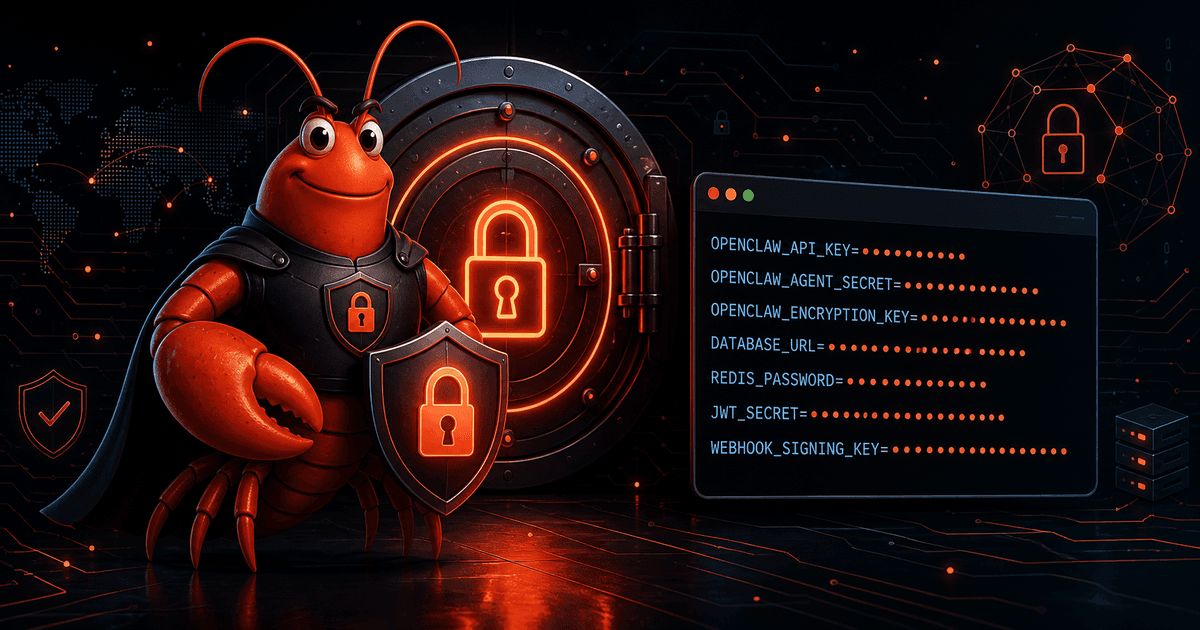
OpenClaw Secrets Management: Store, Reference, and Rotate API Keys Without Leaking Them
OpenClaw is a powerful AI assistant framework, and like any tool that talks to external services, it needs credentials. It needs an API key to reach your LLM provider, a bot token to connect to Telegram or Discord, and often keys for other services your agents call. The problem: OpenClaw stores these credentials in plaintext by default — in ~/.openclaw/openclaw.json and related credential files. For a personal setup on your own laptop, that might be acceptable. The moment you run it on a VPS, share access with others, or connect to paid services, plaintext secrets become a real liability.
This guide walks through the whole lifecycle: how the OpenClaw secrets store works, how to store your first secret, how to reference secrets from configuration, how to verify they resolve, how to rotate a compromised key safely, and — critically — how to stop agents from leaking credentials in the first place.
Why Secrets Management Matters for OpenClaw
OpenClaw is an autonomous agent. It can spawn subagents, run tools, schedule background jobs, and write files. That autonomy is exactly why credential hygiene matters more here than for a plain CLI you run by hand. A leaked key doesn't just sit in a log — an agent with read/write tool access can surface it, copy it, or write it into a file that gets synced or backed up.
Where OpenClaw stores credentials by default:
~/.openclaw/openclaw.json— custom provider keys, skill API keys~/.openclaw/agents/<name>/auth-profiles.json— provider API keys.envfiles — environment-variable based secrets
These files are usually protected with restrictive permissions (mode 600), which helps against casual local snooping. But 600 does nothing against an agent that has read access to your home directory, and it does nothing to protect against a backup or dotfiles repo silently carrying plaintext keys somewhere it shouldn't go.
The three real leak paths
- Plaintext config files. If your
openclaw.jsongets committed to a dotfiles repo or backed up, the keys go with it. This is the most common and most obvious path. - Prompt-context leakage. OpenClaw serializes some configuration — including resolved model API keys — into the context it sends to the model. That means keys can end up in prompt context on every turn, and from there into transcripts or logs.
- Memory and tool writes. If an agent is prompted (or tricked via prompt injection) to write its configuration context into memory files, tokens from its auth profile can end up in
MEMORY.mdor daily notes — plaintext tokens in a file that may get indexed, synced, or backed up.
The good news is that OpenClaw ships a secrets store designed to close most of these gaps, and the security roadmap is actively extending it.
How the OpenClaw Secrets Store Works
The OpenClaw secrets store keeps secret values out of your main configuration. Instead of putting an API key directly in openclaw.json, you store the value in the secrets store and reference it from config by name. Two mechanisms make this secure:
The egress proxy with host binding. Secrets don't just get dumped into the environment. OpenClaw runs an egress proxy that only substitutes a stored secret for requests going to hosts you explicitly allow. If an agent tries to send a stored secret to a host that isn't bound to it, the request is refused. You bind a secret to a specific host, e.g. api.openai.com, and only that host ever sees the real value.
The sentinel in the agent environment. Inside the agent's environment, the secret appears as an opaque oc-sent-v2... sentinel value, not the real key. The proxy replaces that sentinel with the stored value only for the allowed host at request time. So an agent that reads its environment never sees the actual credential — it sees a placeholder it can't use.
Storing Your First Secret (Step by Step)
Let's store an LLM provider key. The command is:
openclaw secrets store set OPENAI_API_KEY --allow-host api.openai.com
The --allow-host api.openai.com flag is what binds the secret to requests aimed at that host — do not skip it. If you skip host binding, the secret has no allowed egress and can't be used at all.
Next, make sure the egress proxy is enabled so the substitution path actually works:
openclaw config set secrets.egressProxy.enabled true --strict-json
After restarting the Gateway, an agent running on the Gateway can use the secret. For example, a direct API call from a Gateway-hosted agent:
curl -sS https://api.openai.com/v1/chat/completions \
  -H "Authorization: Bearer $OPENAI_API_KEY"
Here $OPENAI_API_KEY resolves in the agent environment to the sentinel, and the proxy swaps in the real value only because api.openai.com is the allowed host. A request to an unbound host would be refused with a message like:
Secret "OPENAI_API_KEY" is not allowed for host "hxxps://some-other-site.example".
Run: openclaw secrets store set OPENAI_API_KEY --allow-host ...
That refusal is a feature — it's the proxy catching an attempted leak before it happens.
Referencing Secrets From Configuration
Some setups reference secrets from openclaw.json rather than the agent environment. The configuration layer supports secret providers — env, file, exec, and store — letting you pick how each secret-backed field resolves. For example, rather than hardcoding a provider key in config, you reference it by SecretRef (its provider source and id), and OpenClaw resolves it through the configured provider at runtime.
The benefit of using SecretRefs everywhere is consistency: one source of truth for each credential, and the same audit/rotation path regardless of which provider you chose. Whether you bind a key as a provider credential or as an environment secret, the rule is the same — reference it by name, never paste the value into configuration.
Verifying a Secret Resolves Without Restarting
You don't have to restart the live Gateway to confirm a secret resolves correctly. OpenClaw gives you inspection commands that mask values:
openclaw secrets list
secrets list shows the secret names with masked values and confirms each reference can resolve through its provider. This is the safest way to sanity-check that a new secret is bound correctly and that no reference is dangling before you rely on it in production traffic.
Rotating a Compromised API Key Safely
If you suspect a key leaked — a bill spike, an unusual request pattern, a token appearing in a transcript — rotate it methodically. Panic rotation that breaks your live Gateway is worse than a slow, careful one.
- Generate a new key in the provider's dashboard — Anthropic console, OpenAI dashboard, Telegram BotFather, Discord developer portal, wherever the credential lives. Do not revoke the old key yet.
- Update the secret store with the new value. For store-based secrets, re-run
openclaw secrets store set <NAME> --allow-host <host>with the new value. For env-based secrets, update~/.openclaw/.envor the external store. - Test resolution without restarting using
openclaw secrets listto confirm the new value resolves. - Restart the Gateway so running agents pick up the new value. Let any long-running agent tasks drain first.
- Only then revoke the old key in the provider dashboard. This gives you a cutover window where both keys work, so a partially-updated cluster doesn't go offline.
- Investigate the cause — if it leaked via a backup, a dotfiles repo, or a prompt-injection incident, fix the root cause, not just the key. Otherwise you'll rotate again next month.
Preventing Agents From Leaking Secrets
Storing secrets properly is half the battle. The other half is making sure your agents never expose them.
Prompt injection and the memory risk
Because OpenClaw serializes configuration into prompt context, and because agents can write files, secrets can migrate into MEMORY.md or daily notes. That's a file that might be backed up, synced, or indexed. Two concrete mitigations:
- Keep credentials out of config files that get serialized into context. Use the secrets store and reference secrets by name rather than pasting values into
openclaw.json. - Audit memory files. Periodically grep
MEMORY.mdand yourmemory/daily notes for anything that looks like a token or key, and scrub it. Treat an agent writing credential material into memory as a red flag worth investigating.
Tool policy and read access to .env
An agent can only leak a secret it can read. OpenClaw's tool policy controls which tools and paths an agent can touch. If your .env files or auth-profile JSON are readable by agents and contain plaintext keys, you've already lost the game regardless of the secrets store.
- Scope agent tool policy so agents don't have blanket read access to the whole home directory or to credential-bearing files.
- Prefer the secrets store so the real values never sit in a file an agent can read in the first place.
Secret Hygiene Checklist
Before you go, run through this list:
- All API keys and bot tokens stored in the secrets store, not pasted in config
- Each secret bound to a specific allowed host (
--allow-host) - Egress proxy enabled (
secrets.egressProxy.enabled true) -
openclaw secrets listshows all references resolving, unmasked values never displayed - Agents cannot read
.env,auth-profiles.json, oropenclaw.jsonwith live keys - Memory files (
MEMORY.md,memory/) contain no credential material - Dotfiles/backup repos exclude
~/.openclawand.env - Rotation runbook documented: rotate, stage, test, restart, revoke old
- Billing alerts enabled on any paid provider to catch stolen-key spikes early
FAQ
How do I store API keys securely in OpenClaw?
Use the built-in secrets store: openclaw secrets store set OPENAI_API_KEY --allow-host api.openai.com, enable the egress proxy, and reference the secret by name from config or the agent environment instead of pasting the value into openclaw.json.
Does OpenClaw encrypt secrets at rest?
Config files default to plaintext with restricted permissions (600). The secrets store and egress-proxy model keep values out of config serialization, and the OpenClaw security roadmap (issue #11829) targets encrypted storage and stronger redaction. For compliance-grade at-rest encryption today, you may combine OpenClaw's store with your own encrypted vault or keychain-backed provider.
Can an agent see my API key?
Only if it has read access to a file containing the plaintext value, or if the value is serialized into its prompt context. Using the secrets store keeps real values out of agent-visible files; the agent environment sees a oc-sent sentinel instead. Lock down tool policy so agents can't read .env or credential files.
What happens if I skip --allow-host?
A secret with no allowed host has no egress path and can't be used; if you later try to use it for an unbound host, the proxy refuses the request. Bind every secret to the specific host(s) it's meant for — that binding is the leak guard.
How do I rotate a key without breaking my Gateway?
Generate the new key in the provider dashboard, update it in the secrets store, verify with secrets list, restart after tasks drain, and only then revoke the old key. Never revoke before the new one is live everywhere.
Internal Links
- OpenClaw Sandboxing Guide: Tool Policy, Elevated Access, and Safer Agents
- OpenClaw Security Audit: Find Exposure Before It Becomes an Incident
- OpenClaw Configuration Guide: Edit, Validate, and Safely Reload Your Gateway
- OpenClaw Doctor Guide: Diagnose and Repair Gateway Configuration Safely


Comments
Loading comments…