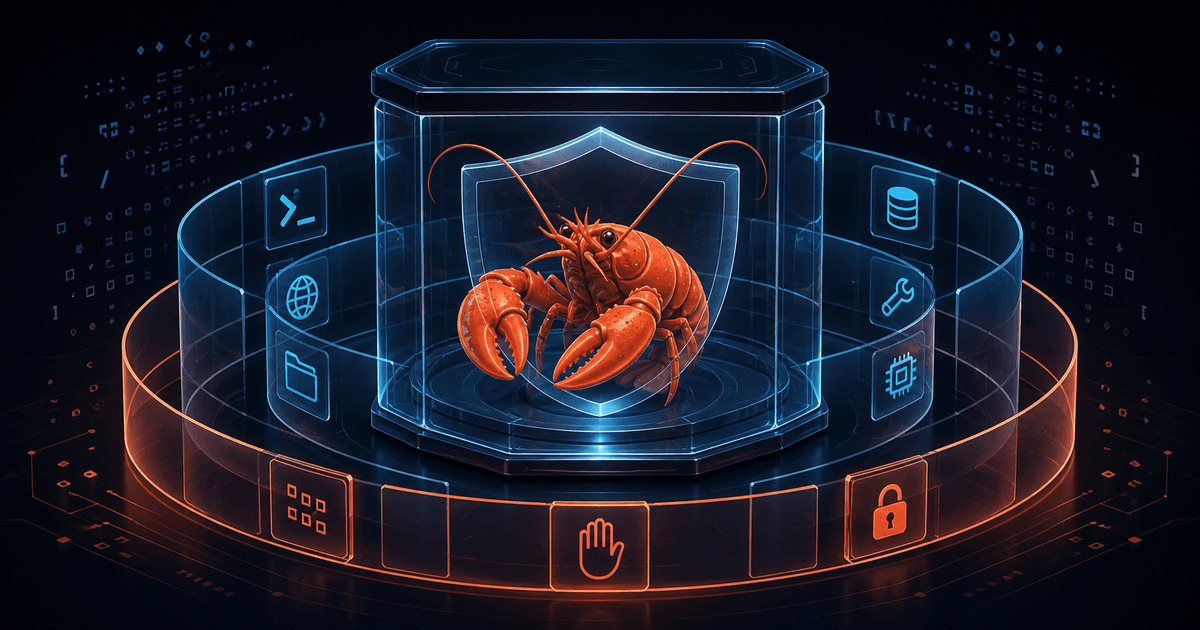
OpenClaw Sandboxing Guide: Tool Policy, Elevated Access, and Safer Agents
Giving an AI agent access to files, processes, browsers, or network tools is useful until a prompt reaches farther than you intended. OpenClaw's sandboxing features can reduce that blast radius, but only if you understand what each control actually changes.
Three settings are commonly mixed together:
- Sandboxing decides where tool execution happens: on the host or in a sandbox backend.
- Tool policy decides which tools are available to the agent.
- Elevated access provides an explicit path for an operation to run outside the sandbox.
Those are different boundaries. A sandbox does not automatically deny every tool. A tool deny-list does not make an allowed shell command read-only. And an elevated tool can bypass the isolation you thought was protecting a session. This guide builds a practical mental model, shows how to inspect effective settings, and highlights the configuration mistakes most likely to create surprises.
For broader hardening, pair this guide with our OpenClaw Security Setup guide. If you are designing long-running jobs, see the OpenClaw Task Flow guide and OpenClaw Cron Jobs guide.
Quick Answer: What Does OpenClaw Sandboxing Control?
OpenClaw can run tool execution inside a sandbox backend to limit filesystem and process access. The setting is controlled globally under agents.defaults.sandbox or per agent under agents.entries.*.sandbox. The documented sandbox modes are:
off: no sandboxing; tools run on the host.non-main: sandbox non-main sessions while leaving the agent's main session outside.all: sandbox every session.
The default mode is off, so installing OpenClaw does not mean that every tool call is isolated automatically. The Gateway process itself remains on the host even when tool execution is sandboxed. An elevated operation can also bypass the sandbox, which makes elevated access an escape path to review—not a minor convenience toggle.
Sandbox scope is a separate choice. agent creates one runtime per agent, session creates one per session, and shared uses one environment across sandboxed sessions. The documented default scope is agent. Backends include Docker, Podman, SSH, and OpenShell, with Docker documented as the default.
1. Pick the Boundary Before You Pick the Setting
Start with the question: which sessions need protection? A private main session may have a different trust level from group or channel sessions. OpenClaw's non-main mode is designed for the pattern where non-main sessions should be sandboxed while the main session stays on the host. all is the simpler choice when every session should run in a sandbox.
Do not choose non-main because it sounds safer without checking your session model. The main session is a special session key, while group and channel sessions use their own keys and therefore count as non-main. If a workflow that you consider sensitive runs in the main session, non-main does not isolate it.
Scope affects reuse and state:
- Use
agentwhen an agent's sandbox state can be shared across its sessions. - Use
sessionwhen sessions should receive separate environments. - Use
sharedonly when intentionally sharing a sandbox across sandboxed sessions.
The right setting depends on the workspaces, tools, and trust boundaries in your installation. Treat the mode and scope as architecture decisions, not just performance preferences.
2. Understand What Is—and Is Not—Sandboxed
When sandboxing is enabled, OpenClaw documents tool execution such as exec, read, write, edit, apply_patch, and process as sandboxable. The optional sandboxed browser is another supported surface in the documented configuration.
The Gateway is not moved into the container. It remains on the host and coordinates the system. Tools explicitly allowed through tools.elevated can also run outside the sandbox. If sandboxing is disabled, elevated configuration does not change the fact that exec already runs on the host.
That distinction matters when you are assessing risk. A sandbox may limit what a tool execution can see, but it does not turn the entire OpenClaw installation into an isolated appliance. Continue to protect the Gateway host, its configuration, credentials, plugins, and deployment environment.
3. Treat Workspace Access and Bind Mounts as Data Exposure
A sandbox is only as private as the data you expose to it. OpenClaw documents workspace access modes of none, ro, and rw in the sandbox policy. Prefer read-only access for source or reference material when the agent does not need to modify it.
Bind mounts require even more care. Whatever you mount into the sandbox is visible there with the mode you select. A read-write mount gives the sandbox a path through which it can modify host data. The documentation also warns that binding a host folder effectively hands host control to the sandbox for that mounted area.
A safe review sequence is:
- List every folder the workflow genuinely needs.
- Remove broad home-directory mounts and unrelated secrets.
- Use read-only mode for inputs whenever possible.
- Keep writable mounts limited to disposable output directories.
- Recheck mounts after upgrades or configuration edits.
Remember that workspace access and bind-mount modes are independent controls. A restrictive workspace setting does not make an intentionally mounted secret safe, and a read-only workspace does not make a broad read-write bind mount harmless.
4. Tool Policy Controls Availability, Not Intent
Tool policy is a second layer. It decides which tools exist or are callable after the base tool set and agent-level rules are applied. A policy can reduce the available surface, but it does not inspect the side effects of a command inside an allowed tool.
For example, if exec is allowed, denying read, write, or process does not make arbitrary shell text read-only. The shell command can still perform side effects permitted by the execution environment. Tool policy filters tools by name; it is not a command parser or a substitute for sandboxing.
This is why “I denied file tools” is not enough to conclude that an agent cannot modify files. Ask two separate questions:
- Is the relevant tool callable at all?
- If it is callable, where does it run and what filesystem does it see?
Use the narrowest tool profile that supports the job. Then verify the effective policy rather than assuming a global default survived a per-agent override.
5. Elevated Access Is an Explicit Escape Hatch
Elevated access is intended for operations that must run outside the sandbox. That can be useful for trusted maintenance, but it defeats the isolation you are trying to establish for that operation. Treat every elevated path as a privileged interface.
Before enabling or using it, document:
- which agent or session can request elevation;
- which operations genuinely require the host;
- what approval or allowlist gate applies;
- which host files, network paths, and credentials become reachable;
- how you will detect an accidental elevated call.
Do not describe elevated access as “the sandbox with extra permissions.” It is a different execution path. If an untrusted group or channel can reach a tool-enabled agent, the security documentation's personal-assistant model is especially important: a shared Gateway is not a hostile multi-tenant boundary. Use separate Gateways, and ideally separate OS users or hosts, for mutually untrusted users.
6. Verify the Effective Configuration, Not the Intended Configuration
OpenClaw's configuration is strict: unknown keys, malformed types, or invalid values can prevent the Gateway from starting. Consult the live schema for the installed version before adding fields copied from an older example.
After a sandbox or tool-policy change, use the documented inspector:
openclaw sandbox explain
You can also scope it to a session or agent, or request JSON output:
openclaw sandbox explain --session agent:main:main
openclaw sandbox explain --agent work
openclaw sandbox explain --json
The inspector reports effective sandbox mode, scope, workspace access, whether the current session is sandboxed, effective tool allow/deny rules, and elevated gates. That is more useful than reading only the file you edited because per-agent overrides and session type can change the result.
After exposing a new channel or changing access policy, run the documented security audit:
openclaw security audit
openclaw security audit --deep
openclaw security audit --json
The audit checks inbound access, tool blast radius, execution and approval drift, network exposure, browser exposure, local disk hygiene, plugins, and policy drift. --fix exists for narrow documented remediations, but review its changes and your threat model before applying it automatically.
7. A Safer Change Workflow
Use this sequence for a configuration change:
- Define the trust boundary. Identify operators, agents, channels, and sessions.
- Choose the sandbox mode. Decide whether non-main or all sessions need isolation.
- Limit workspace visibility. Prefer no access or read-only access; add only necessary mounts.
- Reduce callable tools. Remove tools the workflow does not need.
- Review elevated paths. Treat host execution as privileged and deliberate.
- Validate the configuration. Use the installed schema and run the relevant diagnostic command.
- Inspect the effective result. Run
openclaw sandbox explainfor the real session or agent. - Audit exposure. Run
openclaw security audit, especially before adding public channels. - Test with a harmless task. Confirm expected filesystem visibility and deny behavior without using secrets or destructive commands.
- Record the decision. Put the reason and review date in your operational notes, not in a secret-bearing memory file.
This workflow separates configuration intent from runtime reality. It also gives you a rollback point: if the effective state is not what you expected, stop before connecting another channel or granting elevation.
Common Problems and Fixes
“I enabled sandboxing, but the main session still runs on the host”
Check the selected mode. non-main intentionally leaves the main session unsandboxed. Use all if every session must be sandboxed, then verify the actual session with openclaw sandbox explain.
“Denying file tools did not stop file changes”
Check whether exec remains available. Tool policy does not inspect shell side effects inside an allowed execution tool. Restrict or sandbox the execution path instead of relying on denials for separate tool names.
“My mounted folder is still writable”
Inspect the bind mode and workspace access independently. A mount can expose a path with its own read-write mode even if the general workspace policy is restrictive.
“The Gateway stopped after I edited the config”
OpenClaw validates configuration strictly. Look for unknown keys, malformed types, or values that are not supported by the installed schema. Use the diagnostic commands documented by your version before restoring or changing more settings.
“A group session can do more than expected”
Review the trust model, session type, tool policy, and elevated gates together. If users are mutually untrusted, separate the Gateway trust boundaries rather than trying to make one shared agent act as a secure tenant boundary.
FAQ
Is OpenClaw sandboxing a complete security boundary?
No. The documentation describes it as a way to materially limit filesystem and process access, not a perfect security boundary. Keep the Gateway host, credentials, plugins, and public exposure hardened separately.
Does non-main sandbox every conversation?
No. It sandboxes non-main sessions and intentionally leaves the main session outside. Verify the session key and effective state rather than inferring it from the channel name.
Does tool policy make exec safe?
No. Tool policy controls whether a tool is callable. It does not inspect shell commands or their side effects inside an allowed exec call. Sandbox location and filesystem visibility still matter.
Should I use a shared Gateway for untrusted users?
The OpenClaw security model says a Gateway is for one trusted operator boundary, not mutually untrusted or adversarial users. Split Gateways and, ideally, OS users or hosts when trust boundaries differ.
Do I need to store the security decision in memory?
Record a concise, reviewable operational decision if it will matter later, but do not store credentials or tokens. A note can preserve context; it cannot enforce permissions or sandboxing.
Sources
- OpenClaw: Sandboxing — modes, scope, backends, workspace access, and sandbox boundaries.
- OpenClaw: Sandbox vs tool policy vs elevated — effective-state inspection and the three control layers.
- OpenClaw: Security — trust model and security audit guidance.
- OpenClaw: Configuration — configuration path and strict validation behavior.
- LobsterDome: OpenClaw Security Setup — related hardening guidance.
- LobsterDome: OpenClaw Task Flow — durable workflow context.
Sources accessed August 12, 2026.

Comments
Loading comments…